Body caps · AirTag
Canon RF body cap with an AirTag inside
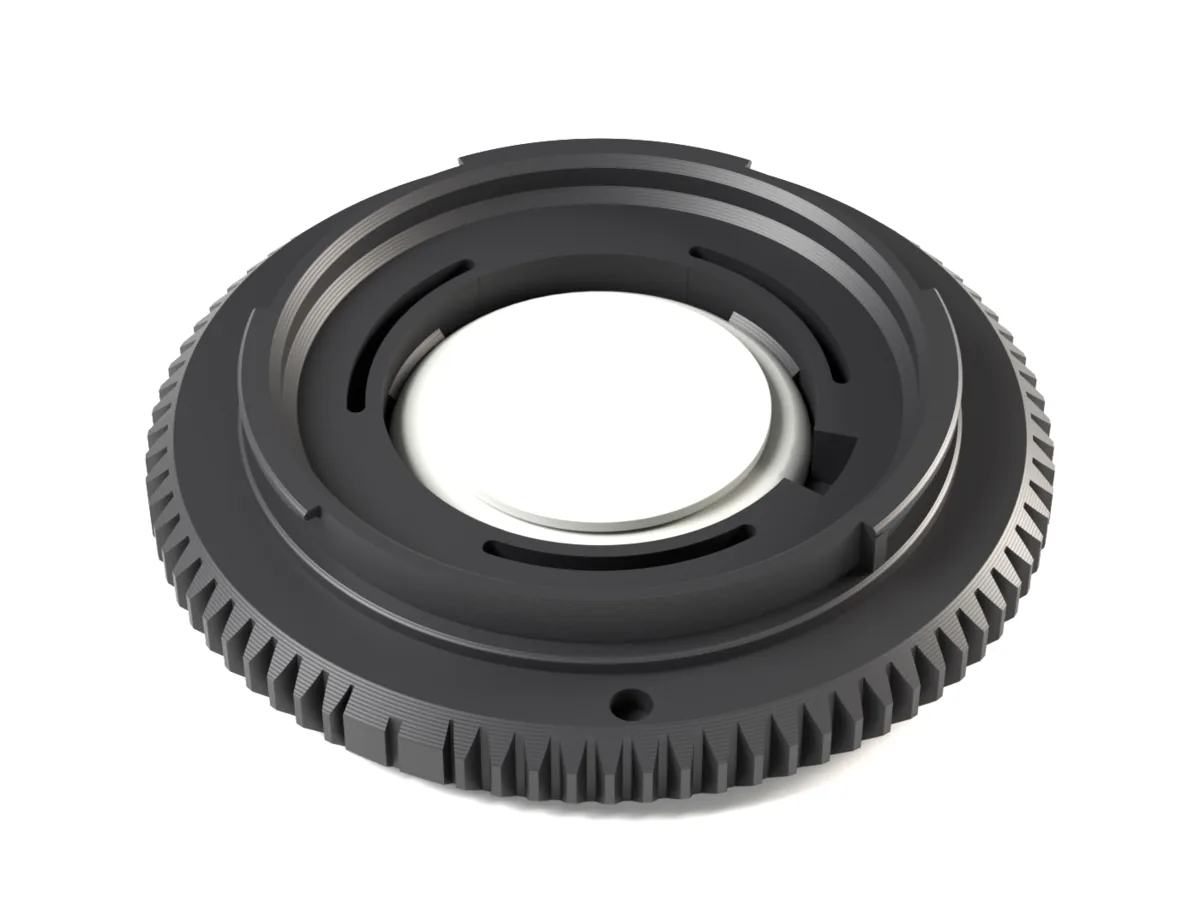
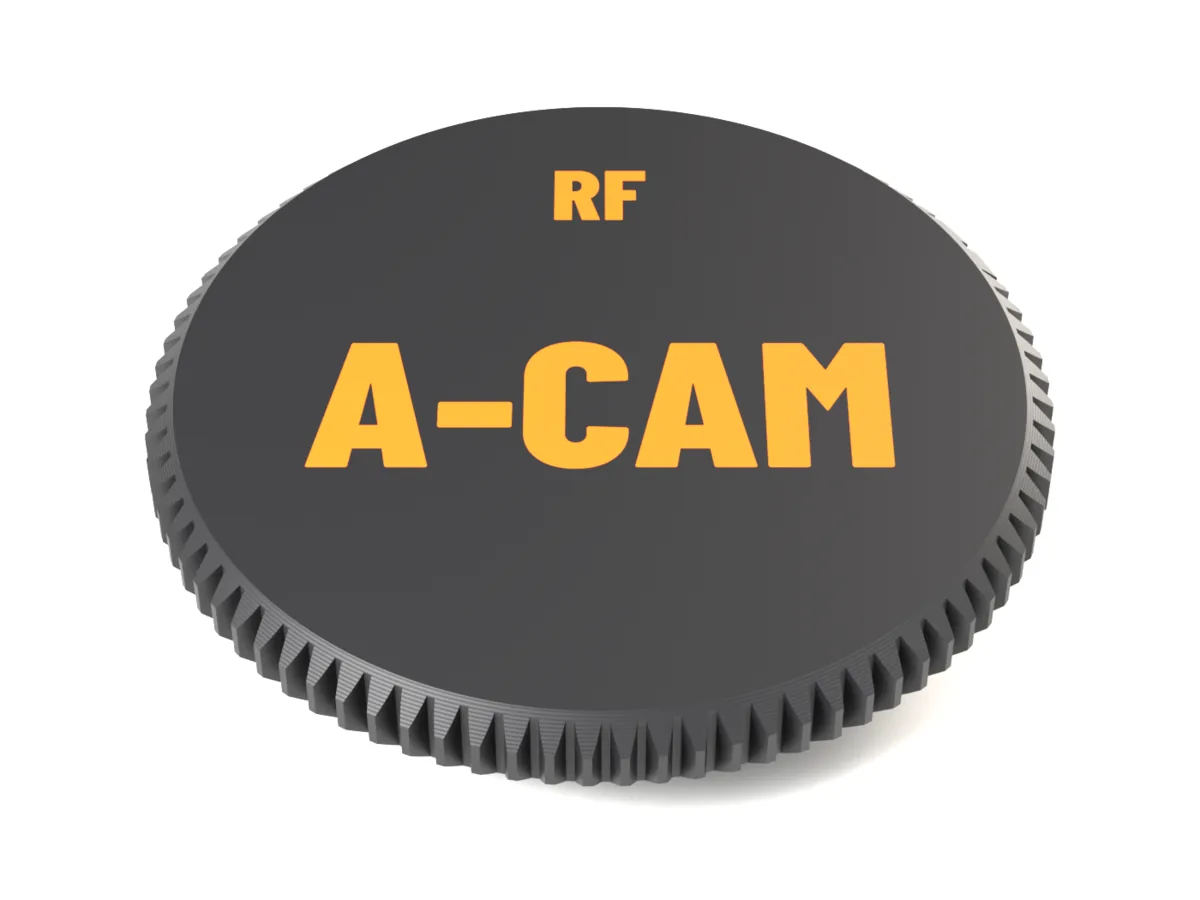
A Canon RF body cap with an Apple AirTag inside. The tag snaps into a pocket behind the face and stays hidden while the cap is on, so a camera body left on set or in a rental case shows up in Find My.
Not print-tested on a Canon RF camera yet. Your files include a fit test ring: print it first (about 11 min), it shows on your camera whether the cap goes in, turns and clicks. Open the generator
One part, no screws
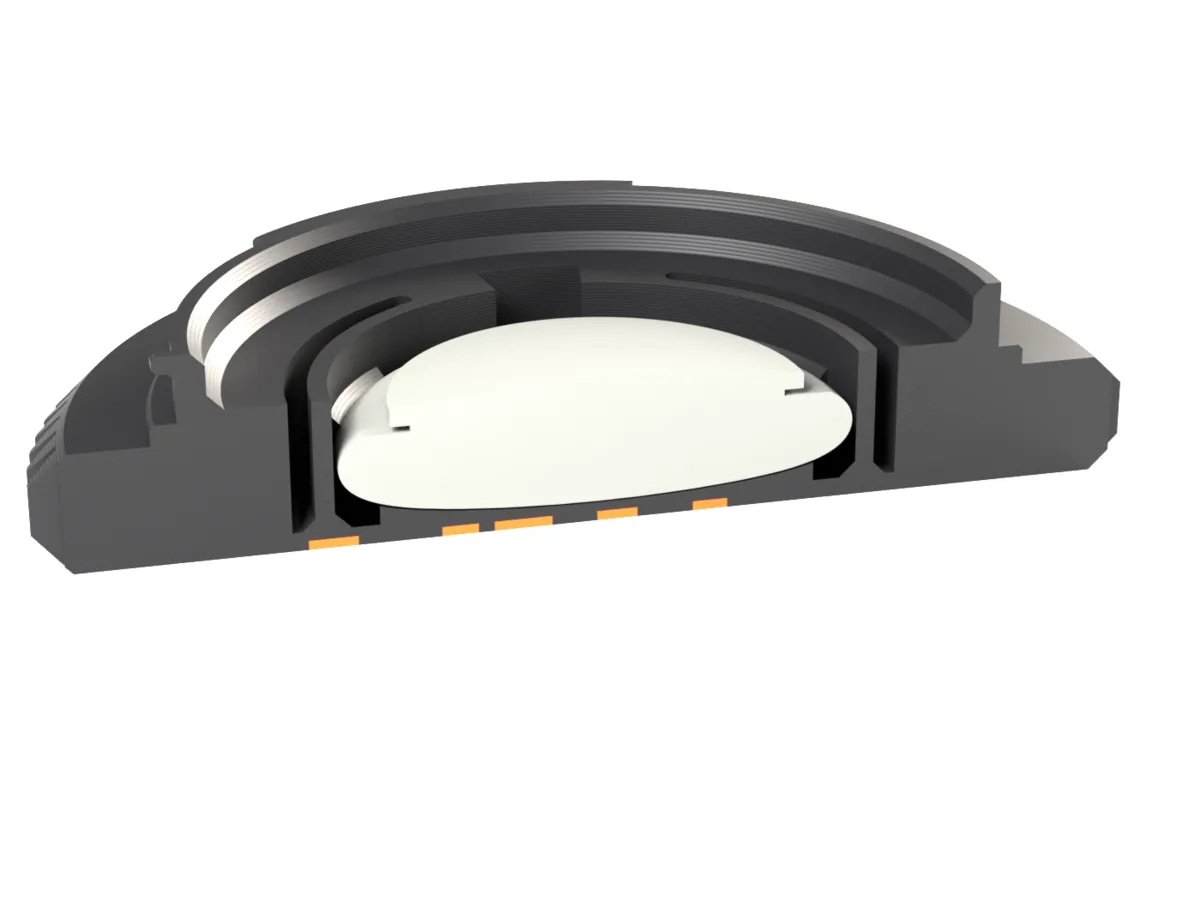
The pocket wall is one closed ring. Three segments of it, joined at both ends and backed by a slot, flex as the AirTag passes and then keep pressing on it, so it clicks in and cannot shift. A notch lets you lift it out again with a fingernail.
Hidden behind the face
The white side of the AirTag faces outwards behind a 1.2 mm face, and the pocket opens towards the camera, so the tag is out of sight while the cap is on. Check that it sits flat and firm before you put the cap on.
Same size where it counts
The pocket fits inside the bayonet ring, so the cap stays 13.1 mm tall and reaches no deeper into the camera than without it (5.5 mm).
Same bayonet
The cap carries the lens side of the Canon RF bayonet: lip, neck and three lugs. Put the grooved mark at the camera's mount dot, insert and turn clockwise (seen from the front) until the camera's locking pin clicks into its hole. The lens release button takes it off again.
Fits
- Canon EOS R mirrorless cameras, full frame and APS-C (RF-S bodies take RF caps too)
- Canon cinema cameras with an RF mount, such as the EOS C70, C80, C400 and R5 C
- RF-mount cameras from other makers and RF adapters with an RF bayonet at the front
| Mount | Canon RF |
|---|---|
| Outside diameter | Ø68.0 mm |
| Height | 13.1 mm |
| Depth in the camera | 5.5 mm behind the mount face |
| Holds by | Lens-side bayonet; clicks onto the camera's locking pin |
| Grip | Module 0.8 gear (83 teeth) or flutes |
| AirTag | Apple AirTag (not included), snap-in, pocket opens towards the camera |
| Print orientation | Face down, no supports |
| Print time (slicer estimate) | about 32 min, about 15 g PLA |
| Fit test ring | Included with paid files, about 11 min |
| Files | 3MF (body + face inlay as one object), aligned STLs, printing guide |
Print times are Bambu Studio estimates for an X1C with a 0.4 mm nozzle and 0.20 mm layers. Not every camera has been tested: print the fit test ring from your files first and try it on your camera.
Print and fit
- Check the fit first: your files include a fit test ring, the bayonet zone only, done in about 11 min. Print it before the cap.
- Put the grooved mark at the camera's mount dot, insert the cap or test ring and turn it clockwise (seen from the front) until it stops and clicks. It should turn with even resistance and sit without play.
- Print the cap face down on the build plate, no supports. Two-colour faces: keep body and inlay as one object and give each part a filament.
- Clean the inside before the first use: remove strings and crumbs, rinse, let it dry and blow it out. It faces the sensor.
- Press the AirTag in, white side towards the face, until the three nubs click. Before every use, check that it sits flat and firm.
Questions
How is the AirTag held without screws or glue?
By a closed snap ring: three segments flex slightly as the AirTag passes, then their nubs keep pressing on it above its widest point. If the click is too stiff or too loose on your printer, write to us and we send a different nub size.
Which way does the AirTag face?
White side towards the face, behind 1.2 mm of plastic. The pocket opens towards the camera and is hidden while the cap is on. Before every use, check that the AirTag sits flat and all three nubs have clicked: the inside of the cap faces the sensor.
Does the AirTag still work inside the cap?
AirTags work through plastic, and the white side faces outwards behind a thin face. On the camera the body's metal sits behind it; range depends on what is around, as with any AirTag.
Which cameras does the Canon RF AirTag body cap fit?
Canon EOS R mirrorless cameras, full frame and APS-C (RF-S bodies take RF caps too); Canon cinema cameras with an RF mount, such as the EOS C70, C80, C400 and R5 C; RF-mount cameras from other makers and RF adapters with an RF bayonet at the front.
Has this Canon RF body cap been tested on a camera?
Not yet. Its bayonet is measured from an RF camera adapter and an RF bayonet template that fit real cameras, and every file is checked layer by layer for printability, but we have not fitted this cap on a Canon RF camera ourselves yet. Print the fit test ring from your files first: it is done in about 11 min and shows on your camera whether the cap goes in, turns and clicks. Too tight or too loose? Tell us: the lug position is adjustable.
Is it safe for the camera's sensor?
It reaches no deeper into the camera than a lens's own bayonet: 5.5 mm behind the mount face. The inside faces the sensor, so remove every string and crumb, rinse the cap, let it dry and blow it out before the first use. Never use a cap with cracked lugs.
Does it need supports?
No. The cap prints face down on the build plate; the only overhangs are short ledges under the lugs, under 1 mm.
Which filament should I use?
Rings without clamps and lens caps: PLA or PETG, 0.4 mm nozzle, 0.20 mm layers, your usual walls. PETG is a little tougher if the cap lives in a bag.
Why gear teeth on a body cap?
They are the same module 0.8 teeth as our focus rings: they grip well with gloves and hide layer lines. Prefer something smoother? Pick the flutes grip.
What does it cost?
One price per file: the AirTag pocket, a label and your logo together are still one price. The AirTag itself is not included. The files include a fit test ring.
Other body caps
- Canon RF body cap to 3D print
- Canon EF body cap with an AirTag inside
- Sony E body cap with an AirTag inside
- Nikon Z body cap with an AirTag inside
- Fujifilm X body cap with an AirTag inside
- L-Mount body cap with an AirTag inside
- Micro Four Thirds body cap with an AirTag inside
- Leica M body cap with an AirTag inside
- ARRI PL body cap with an AirTag inside